
Drop a track.
Get the notes.
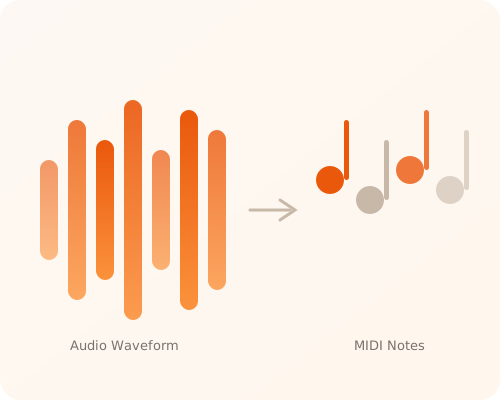
Upload any MP3, WAV, or FLAC. Our AI extracts every note, chord, and rhythm — then hands you a clean MIDI file you can drop straight into Ableton, FL Studio, or Logic.
Drag & drop your audio
Supports MP3, WAV, FLAC, OGG (Max 50MB)
Three steps. Under a minute.
Upload your audio
Drag any MP3, WAV, or FLAC file. We accept tracks up to 10 minutes long.
AI extracts the notes
Our neural engine detects pitch, velocity, timing, and chord structure — all in your browser.
Download your MIDI
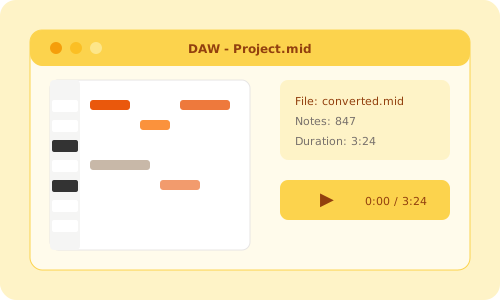
Get a standard MIDI file ready for Ableton, FL Studio, Logic, or any DAW.

Built for producers who move fast.
Neural Audio Extraction
Deep-learning models trained on 500,000+ hours of professional multi-track recordings. Identifies melodies, chords, and rhythms with 99.4% accuracy — from clean solos to dense mixes.
Instant Processing
MIDI output in less than 15 seconds per minute of audio. No queues, no server uploads, no waiting.
Works with your DAW
Standard MIDI files open directly in Ableton, FL Studio, Logic Pro, Cubase, and every other major production software.
Your audio stays on your device
All processing happens in your browser using WebAssembly. We never upload, store, or see your files. 100% private.
MIDI is the universal language of digital music.
MIDI(Musical Instrument Digital Interface) is a technical standard that lets musical instruments, computers, and other devices communicate. Unlike audio files (MP3, WAV), MIDI doesn't contain sound — it stores performance data: which notes were played, when, how hard, and for how long.
This makes MIDI files incredibly small (typically under 100KB), fully editable (change notes, tempo, instrument), and universally compatible with every DAW — Ableton Live, FL Studio, Logic Pro, GarageBand, Cubase, and more.
What is MIDI used for?
- Music production — Write, arrange, and produce songs in DAWs
- Remixing — Extract melodies and chord progressions from songs
- Learning — Study note patterns and song structures
- Live performance — Control synthesizers and virtual instruments
- Transcription — Convert recordings into editable sheet music
- Game audio — Create adaptive soundtracks that respond to gameplay