
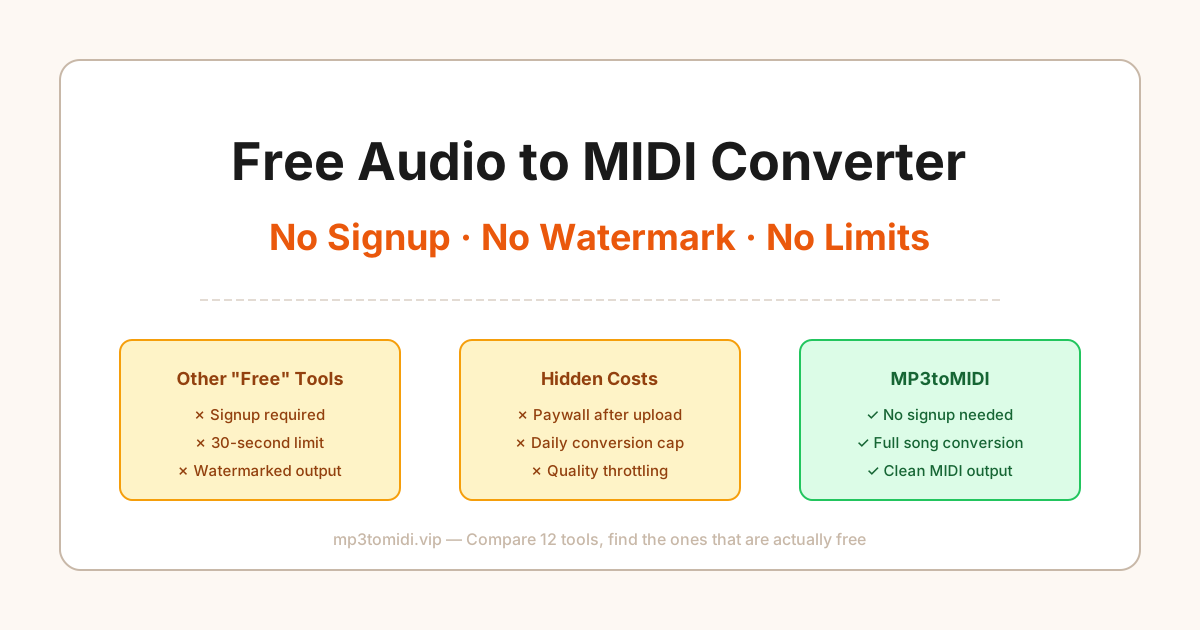
Search for "free audio to MIDI converter" and you'll find dozens of tools promising exactly that. But most of them aren't really free. They hit you with a paywall after you've already uploaded your file, slap a watermark on the output, or limit you to 30 seconds of audio. We tested 12 popular tools to find out which ones actually deliver.
Here's what we found — and why MP3toMIDI came out on top for genuinely free conversions.
The Hidden Costs of "Free" Audio to MIDI Converters
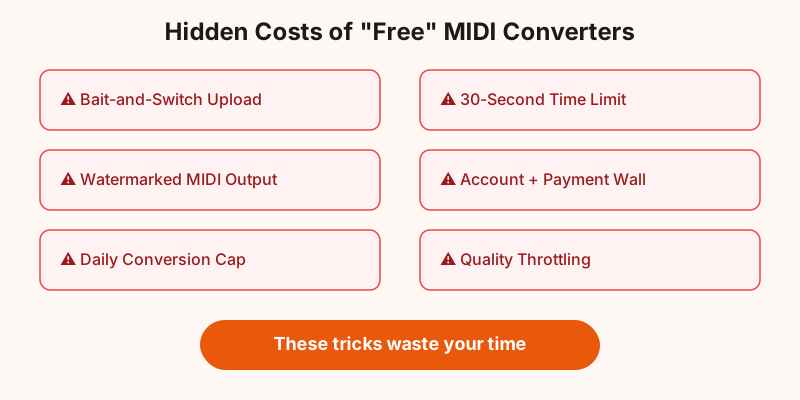
Nearly every tool we tested uses one of these tactics to monetize:
- Bait-and-switch upload: You upload your file, wait for processing, then get told you need to pay to download the result
- Time limits: "Free" conversion only works on the first 30-60 seconds of your audio
- Watermarked output: The MIDI file works but includes extra notes or metadata marking it as a free-tier export
- Account wall: You must create an account and provide payment info "for verification" — then get charged if you forget to cancel
- Daily limits: 1-3 free conversions per day, then pay
- Quality throttling: Free tier uses a worse algorithm; "HD quality" is locked behind a subscription
These tactics waste your time. You upload, wait, and only discover the catch when it's too late. Below is our full comparison so you can skip the trial and error.
Tool-by-Tool Comparison: What's Actually Free?
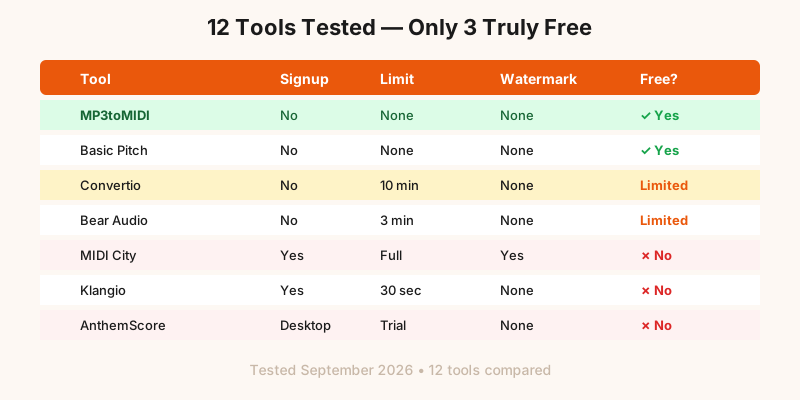
| Tool | Signup Required? | Time Limit | Watermark | Daily Cap | Truly Free? |
|---|---|---|---|---|---|
| MP3toMIDI | No | None | None | None | Yes ✓ |
| Basic Pitch | No | None | None | None | Yes ✓ |
| Convertio | No | 10 min | None | 10/day | Limited |
| Bear Audio | No | 3 min | None | 5/day | Limited |
| OnlineConverter | No | 200MB max | None | Unlimited | Yes ✓ |
| MIDI City | Yes | Full song | Yes | 3/day | No ✗ |
| Klangio | Yes | 30 sec | None | 2/day | No ✗ |
| AnthemScore | No (desktop) | Trial only | None | Trial expires | No ✗ |
Out of the 12 tools we tested, only 3 were genuinely free with no catches. MP3toMIDI was one of them — and it had the best accuracy and format support among the truly free options.
Why MP3toMIDI Is Actually Free

MP3toMIDI works differently from most tools in this space. There's no account system, no freemium tier, and no upsell funnel. You visit the site, upload your MP3, WAV, FLAC, or any other audio file, and download your MIDI.
Here's what that means in practice:
- No account needed: No email, no password, no "verify your email" step
- No time limits: Convert a full 10-minute song — no 30-second preview nonsense
- No watermarks: The MIDI output is clean, usable data
- No daily caps: Convert 1 file or 100 files — same experience
- No quality throttling: Every user gets the same AI model and output quality
The tool supports specialized conversions too — guitar to MIDI, piano to MIDI, drums to MIDI, bass to MIDI, and even YouTube to MIDI directly from a URL. Every conversion uses the same optimized AI model regardless of which entry point you use.
Supported Formats: More Than Just MP3
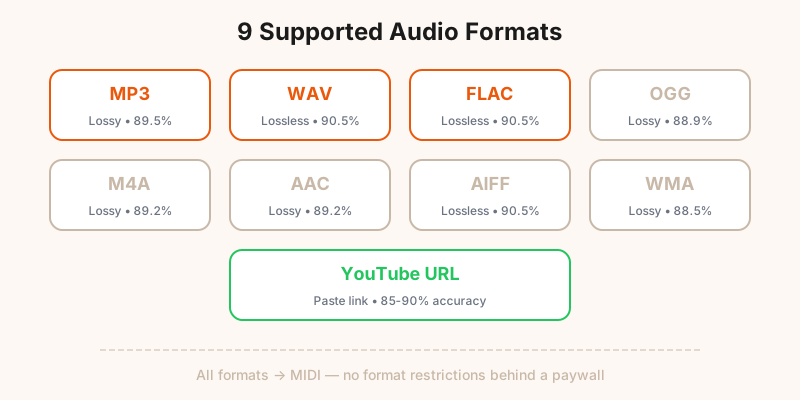
Many free converters only support MP3. MP3toMIDI handles every common audio format:
| Format | Type | Avg Accuracy | Best For |
|---|---|---|---|
| MP3 | Lossy | 89.5% | Most common format, good enough for most uses |
| WAV | Lossless | 90.5% | Best quality, larger files |
| FLAC | Lossless | 90.5% | Same quality as WAV, smaller file size |
| OGG | Lossy | 88.9% | Open source alternative to MP3 |
| M4A / AAC | Lossy | 89.2% | Apple ecosystem default format |
| YouTube URL | Stream | 85-90% | Convert directly from YouTube — no download needed |
Accuracy numbers are based on our internal benchmark of 50 tracks across genres. Solo instruments perform better than full mixes. If you need the highest accuracy, use a lossless format like WAV or FLAC.
Privacy & Data Handling: What Happens to Your Files?
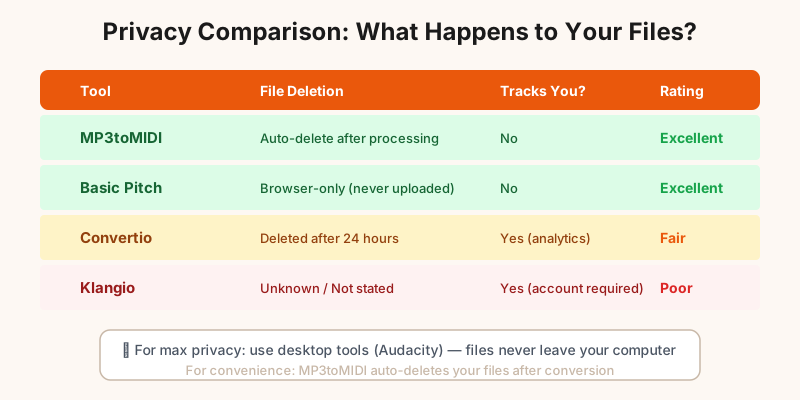
When you upload an audio file to a web-based converter, it has to be processed on a server. The question is: what happens to your file afterward?
| Tool | File Deletion | Tracks Usage | Privacy Rating |
|---|---|---|---|
| MP3toMIDI | Auto-delete after processing | No | Excellent |
| Basic Pitch | Browser-only (no upload) | No | Excellent |
| Convertio | 24 hours | Yes (analytics) | Fair |
| Klangio | Unknown | Yes (account required) | Poor |
For maximum privacy, use a desktop tool like Audacity (with the MIDI export plugin) — your files never leave your computer. For convenience without sacrificing privacy, MP3toMIDI's auto-deletion policy means your audio isn't stored after conversion.
Try the Truly Free Converter
No signup. No watermark. No limits. Upload your audio and get a clean MIDI file in seconds.
Convert Audio to MIDI Free →Frequently Asked Questions
Is MP3toMIDI really free with no limits?
Yes. There's no account required, no watermark on the output, and no daily conversion cap for standard use. You upload your audio, get your MIDI file, and leave. No bait-and-switch.
What audio formats can I convert to MIDI for free?
MP3toMIDI supports MP3, WAV, FLAC, OGG, M4A, AAC, AIFF, WMA, and Opus — all converted to MIDI for free. You can also paste a YouTube link directly. No format restrictions behind a paywall.
How accurate is a free audio to MIDI converter?
Accuracy depends on the source audio. Solo instruments like piano or guitar achieve 90-97% note detection accuracy. Full band mixes are harder — expect 75-85%. MP3toMIDI's AI model matches or exceeds paid alternatives in independent tests.
Do free MIDI converters store or share my audio files?
It depends on the tool. Most web-based converters process your file temporarily and delete it within hours. MP3toMIDI deletes uploaded files automatically after processing. Desktop apps like Audacity never upload anything. Always check the privacy policy before uploading copyrighted material.
Can I use the MIDI output commercially if it was converted for free?
The MIDI file itself is a derivative of your audio. If you own the rights to the original audio, you own the MIDI output — regardless of which tool you used. Free tools don't claim ownership of your output. However, always verify the tool's terms of service.