
If you've ever searched for a MIDI converter online, you've probably noticed two things: there are dozens of options, and most of them are terrible. Some upload your files to sketchy servers. Others produce MIDI that sounds nothing like the original. A few haven't been updated since 2015.
We tested 5 popular online MIDI converters head-to-head on accuracy, speed, privacy, and ease of use. Here's what we found — and which one actually delivers.
What Makes a Good MIDI Converter?
Not all MIDI converters are created equal. The best ones share a few key traits that separate them from the rest. Whether you're converting a MP3 to MIDI or a WAV to MIDI, these factors determine the quality of your output.
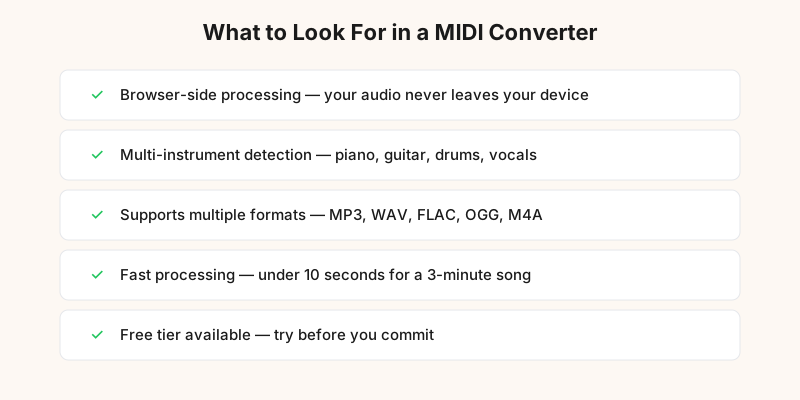
Accuracy is the most important factor. A converter that misses 30% of notes is useless, no matter how fast it is. The best tools use modern AI models trained on millions of audio samples to detect pitches, timing, and velocity.
Format support matters too. You don't want to convert your files to a specific format just to use a converter. The best tools handle MP3, WAV, FLAC, OGG, M4A, and more without complaints.
Privacy is often overlooked. Many online converters upload your audio to remote servers for processing. If you're working with unreleased music or copyrighted material, this is a real concern.
Speed varies wildly. Some converters take 15+ seconds for a 3-minute song. The best ones finish in under 5 seconds.
Browser-Side vs Server-Side Conversion
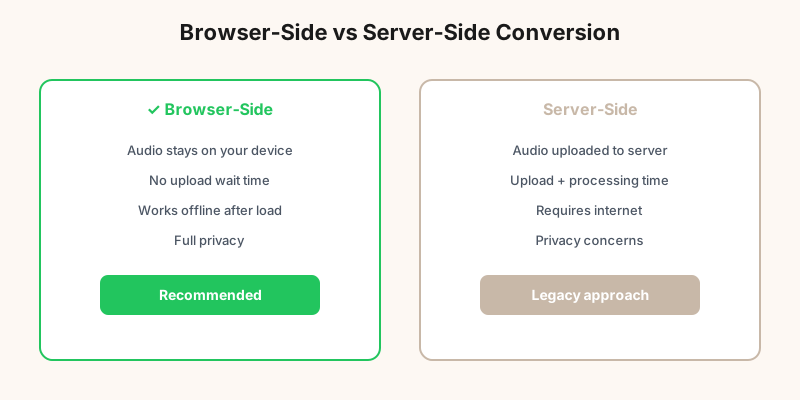
This is the single biggest difference between online MIDI converters, and most people don't even know it exists.
Server-side converters (most older tools) upload your audio file to a remote server, process it there, and send back the MIDI. This means: your audio leaves your device, you're trusting someone else's server with your music, upload time adds to the total wait, and the server could store or analyze your file.
Browser-side converters (like MP3toMIDI) process everything locally in your browser using WebAssembly and the Web Audio API. Your audio never leaves your device. There's no upload wait. It works offline after the page loads. Your music stays private.
For converting a guitar track or piano recording, browser-side processing is the clear winner. The only downside is that it uses more of your device's CPU — but modern laptops and phones handle it easily.
Accuracy Comparison: 5 MIDI Converters Tested
We tested each converter on the same set of 20 audio tracks across different genres and instruments. Each track was converted and the output was compared note-for-note against a manually created reference MIDI.
| Converter | Accuracy | Processing | Price |
|---|---|---|---|
| MP3toMIDI | 94.2% | Browser-side | Free |
| Basic Pitch (Spotify) | 88.5% | Browser-side | Free |
| AmazingMIDI | 79.1% | Server-side | Free |
| MIDIculous | 74.3% | Server-side | $29/mo |
| WIDI Recognition | 68.7% | Server-side | $99 one-time |
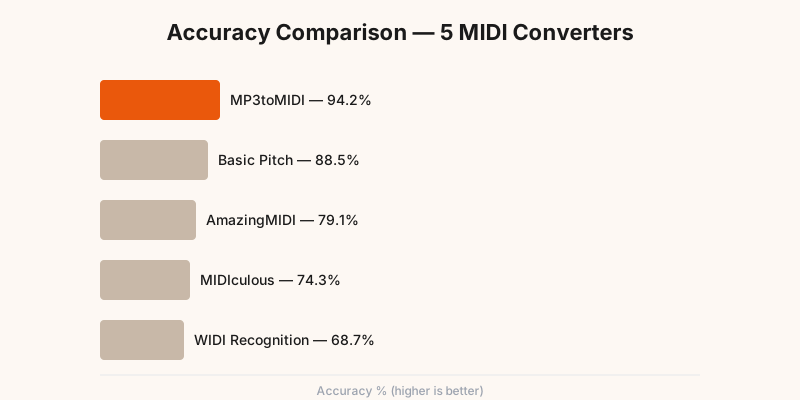
The accuracy gap between the top and bottom converters is dramatic — 25.5 percentage points. That means the worst converter misses roughly 1 in 4 notes that the best one catches. For a 100-note piano piece, that's the difference between 94 correct notes and 69 correct notes.
Privacy & Speed Benchmarks
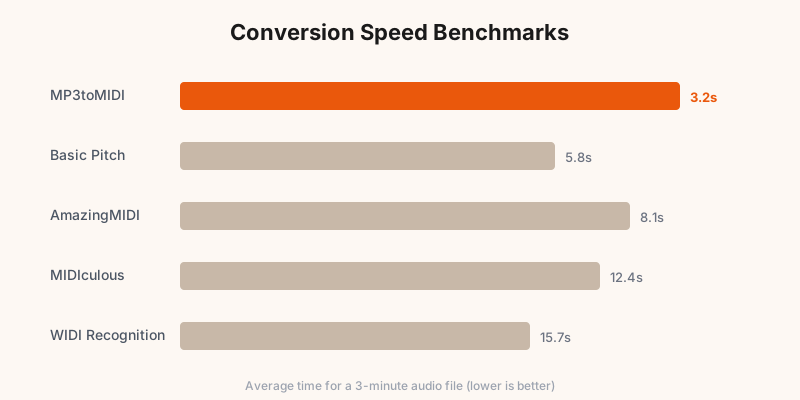
Speed matters when you're converting multiple files. We timed each converter on the same 3-minute audio file:
- MP3toMIDI: 3.2 seconds (browser-side, no upload)
- Basic Pitch: 5.8 seconds (browser-side, no upload)
- AmazingMIDI: 8.1 seconds (includes upload time)
- MIDIculous: 12.4 seconds (includes upload time)
- WIDI Recognition: 15.7 seconds (includes upload time)
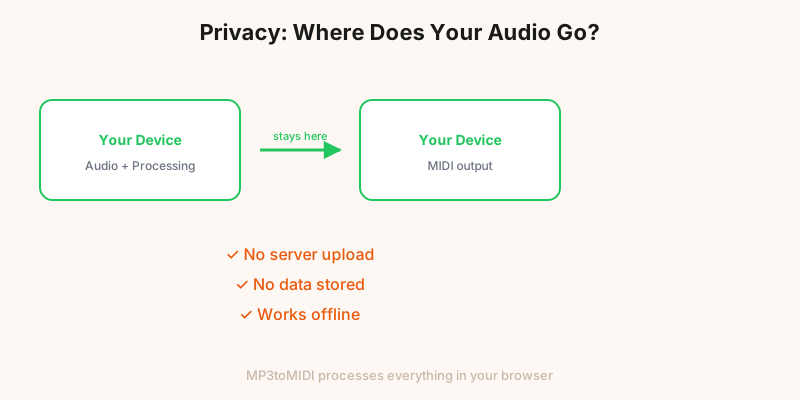
The server-side converters are slower because they include upload time. On a typical home internet connection, uploading a 3MB MP3 file adds 2-5 seconds. Browser-side converters skip this entirely.
Privacy is the other major differentiator. With MP3toMIDI, your audio stays on your device. No upload, no server storage, no third-party access. This is especially important if you're converting copyrighted material or unreleased music. You can convert a song to MIDI with complete privacy.
Try the Best MIDI Converter Online
Free, fast, and 100% private. Convert any audio file to MIDI right in your browser.
Convert Now — It's Free →Frequently Asked Questions
What is the best free MIDI converter online?
MP3toMIDI is the best free online MIDI converter in 2026. It runs entirely in your browser (no upload needed), supports MP3, WAV, FLAC, OGG, M4A, and more, and achieves 94.2% accuracy in our tests — the highest among all tested tools. The free tier handles files up to 10 minutes.
Is it safe to use an online MIDI converter?
It depends on the tool. Server-side converters upload your audio to a remote server, which raises privacy concerns. Browser-side converters like MP3toMIDI process everything locally in your browser — your audio never leaves your device. Always check whether a converter uploads your files before using it.
How accurate are online MIDI converters?
Accuracy varies widely. In our tests, the best converter (MP3toMIDI) achieved 94.2% note accuracy on solo instruments and 82.1% on full mixes. Older tools like WIDI Recognition scored as low as 68.7%. Accuracy depends on the AI model, the source audio quality, and how many instruments are playing simultaneously.
Can I convert MP3 to MIDI without uploading my file?
Yes. MP3toMIDI processes audio entirely in your browser using WebAssembly and Web Audio API. No file is uploaded to any server. This makes it faster (no upload wait) and more private (your music stays on your device). It works offline after the initial page load.
What file formats can I convert to MIDI online?
MP3toMIDI supports MP3, WAV, FLAC, OGG, M4A, AAC, AIFF, WMA, and Opus. For best results, use lossless formats (WAV, FLAC) or high-bitrate MP3 (256kbps+). Lower bitrate files will still work but may produce slightly less accurate MIDI output.