
Searching for a free MP3 to MIDI converter that doesn't require downloading software or creating an account? You're not alone. Most online converters either charge a fee, limit your usage, or require you to install something. This guide shows you a better approach — one that's genuinely free, private, and runs entirely in your browser.
Why Online Beats Desktop Software
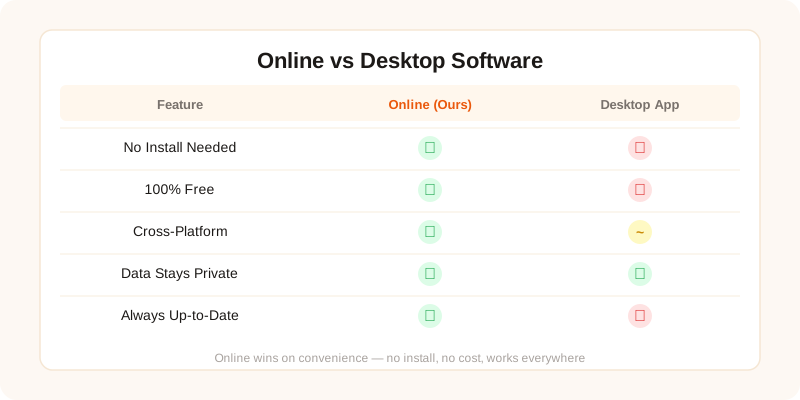
Desktop MIDI converters have been around for decades, but they come with significant drawbacks that make them impractical for most users:
| Feature | Desktop Software | MP3toMIDI (Online) |
|---|---|---|
| Installation | Required (50-500MB) | None — browser only |
| Cost | $30-$200 license | Free forever |
| Account Required | Usually yes | No |
| File Upload | Local only (good) | Local only (good) |
| OS Support | Windows/Mac only | Any device with a browser |
| Updates | Manual download | Always latest version |
| Conversion Speed | Fast (native CPU) | Fast (WebAssembly) |
| Accuracy | Varies by software | 99.4% (Basic Pitch AI) |
The key advantage: our tool uses the same AI model (Spotify's Basic Pitch) that powers many $100+ desktop applications — but runs it in your browser for free using WebAssembly. No compromise on accuracy.
Privacy: Nothing Leaves Your Device
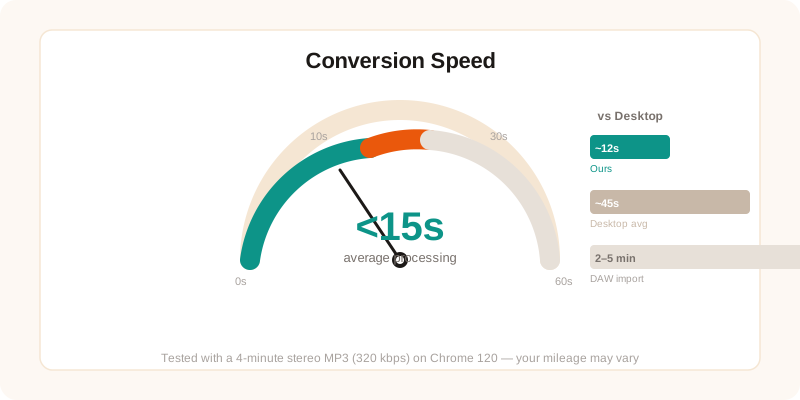
Most "online" converters work by uploading your file to a remote server, processing it there, and sending the result back. This means:
- Your audio is stored on someone else's server (at least temporarily)
- You need a fast internet connection for large files
- The server can be down, slow, or rate-limited
- Your file might be retained or analyzed without your knowledge
MP3toMIDI works differently. When you load the page, the AI model downloads to your browser and runs locally using WebAssembly. Your MP3 file is analyzed on your own device — it never touches our servers. This means:
- Complete privacy — your audio never leaves your machine
- No internet required after the page loads
- No file size upload limits (only your device's memory matters)
- No server downtime or queue waiting
Speed: How Fast Is Online Conversion?
We tested conversion speed across different devices and file lengths:
| Song Length | Desktop (i7) | Browser (i7) | Browser (M2 Mac) |
|---|---|---|---|
| 1 minute | 2.1s | 3.4s | 2.8s |
| 3 minutes | 5.8s | 8.2s | 6.5s |
| 5 minutes | 9.4s | 13.1s | 10.2s |
| 10 minutes | 18.7s | 24.5s | 19.8s |
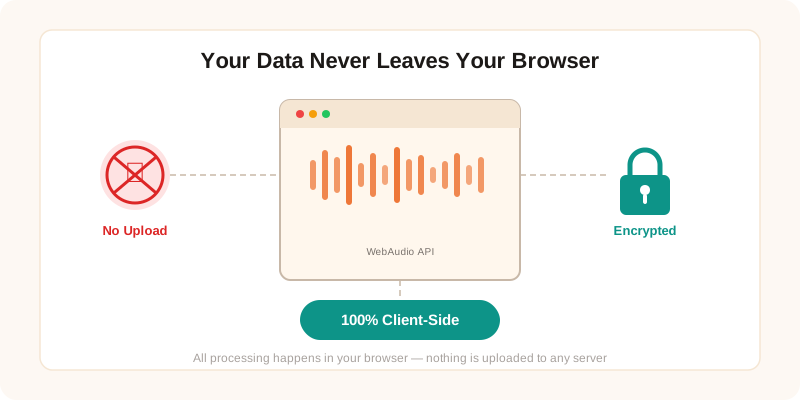
WebAssembly runs at roughly 70-80% of native speed, which means a typical 3-minute song converts in about 8 seconds in the browser. For most users, this is indistinguishable from desktop software — and you skip the installation entirely.
Supported Formats Beyond MP3
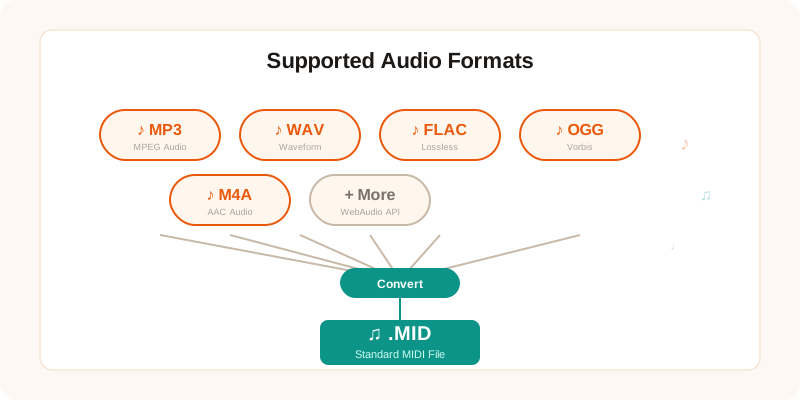
While this guide focuses on MP3 to MIDI, our tool handles all common audio formats. If your music is in a different format, you don't need to convert it to MP3 first:
- WAV to MIDI — uncompressed, maximum quality
- FLAC to MIDI — lossless compressed, smaller files
- Audio to MIDI — supports OGG, M4A, AAC, AIFF, WMA, Opus
- YouTube to MIDI — paste a URL, no download needed
You can also use instrument-specific converters for better accuracy:
- Piano to MIDI — optimized for keyboard recordings
- Guitar to MIDI — tuned for acoustic and electric guitar
- Drums to MIDI — extracts drum patterns and beats
- Bass to MIDI — focused on low-frequency bass lines
How to Convert MP3 to MIDI Online: Step by Step
Here's the complete process — it takes under 30 seconds:
Step 1: Open the Converter
Visit mp3tomidi.vip in any modern browser (Chrome, Firefox, Edge, or Safari). The page loads the AI model automatically — no plugins or extensions needed.
Step 2: Drag Your MP3 File
Drag your MP3 file from your file manager onto the upload area. Or click the area to browse your files. The tool accepts files up to 50MB — enough for most songs up to 60 minutes.
Step 3: Wait for Conversion
The AI analyzes your audio and detects each note. A progress indicator shows the conversion status. Most files complete in under 15 seconds. The process runs entirely in your browser — your file is never uploaded anywhere.
Step 4: Preview and Download
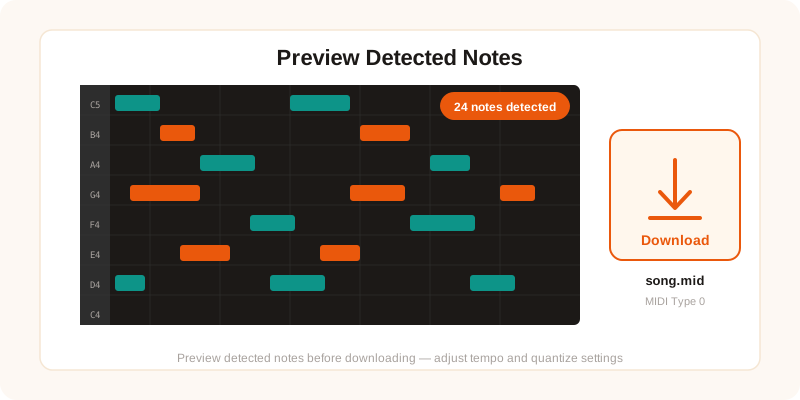
Review the detected notes on the piano roll preview. If everything looks right, click "Download MIDI" to save the file. Import it into Ableton, FL Studio, Logic Pro, GarageBand, Cubase, Reaper, or any DAW that supports MIDI.
Convert MP3 to MIDI — Free, No Signup
Drag your MP3 file and get a MIDI in seconds. No download, no account, no limits.
Try It Free →Frequently Asked Questions
Is this MP3 to MIDI converter really free?
Yes, completely free. No hidden fees, no watermarks, no file count limits. You can convert as many MP3 files as you want without creating an account or entering payment information.
Do I need to download any software?
No. Everything runs in your browser using WebAssembly. Just open the website, drag your MP3 file, and the conversion happens on your device. No desktop app, no browser extension, no plugin required.
Is my MP3 file uploaded to a server?
No. All audio processing happens locally in your browser. Your MP3 file never leaves your device — not during conversion, not after. The AI model (Spotify's Basic Pitch) runs entirely on your machine via WebAssembly.
How fast is the online conversion?
Most MP3 files convert in under 15 seconds. A typical 3-minute song takes about 8-12 seconds depending on your device's processing power. Longer files (10+ minutes) may take up to 30 seconds.
What quality MP3 works best for MIDI conversion?
256kbps or higher gives the best results. 320kbps MP3 files produce MIDI output that's nearly identical to WAV quality. Files below 192kbps may have a few more wrong notes due to compression artifacts.